How to print maps
How to make maps that you can print?
I tried different websites, but quickly I reached their limits. Digging a bit more around openstreetmap.org I found the solution I was looking for: go on to the website printmaps-osm, explore the examples and start from one of the shared files map.yml.
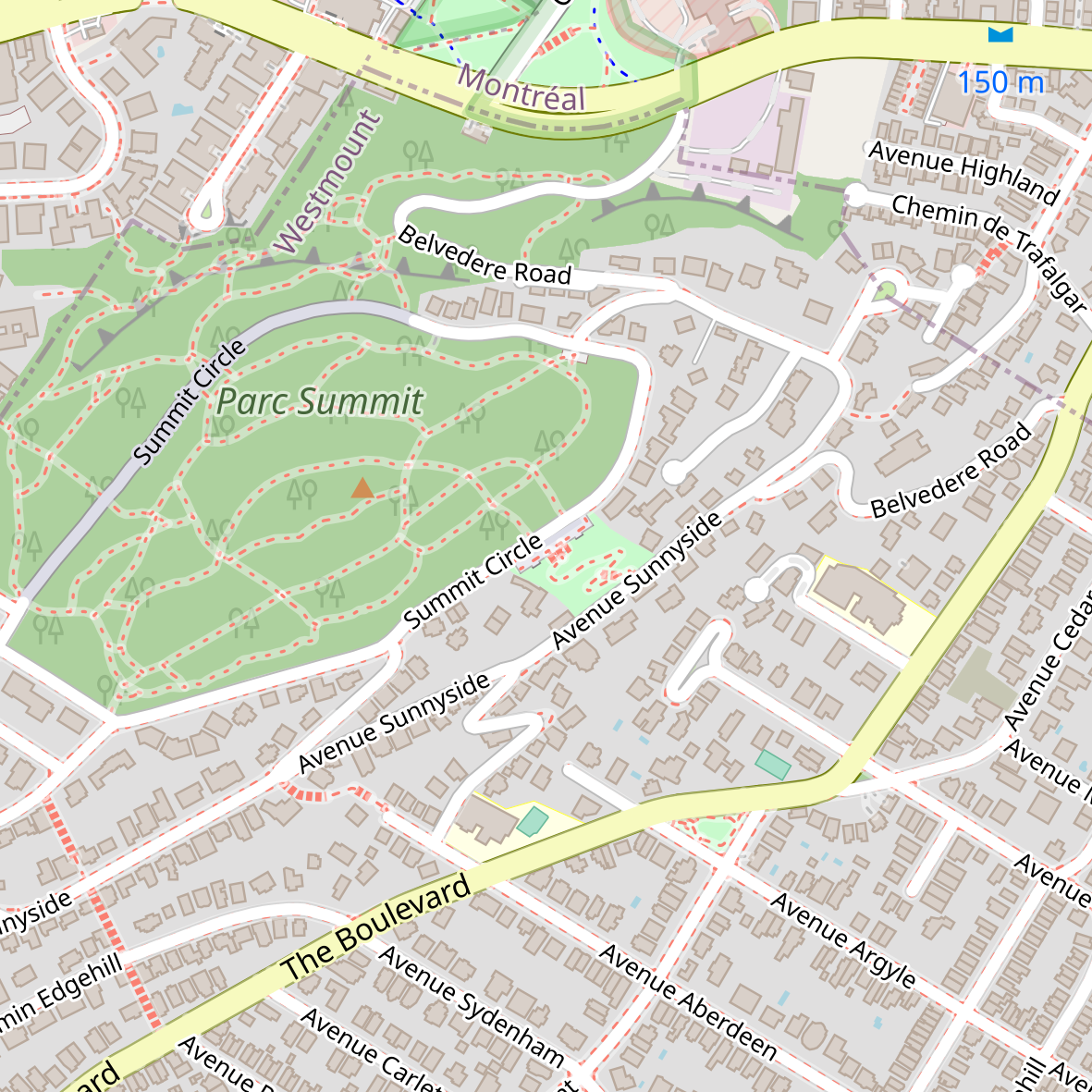
The basic settings in the file map.yml for the example below are for having a square map, centered on Westmount summit in Montreal, size 25cmx25cm, scale 1:10000 (i.e. 1cm = 100m) will be:
# URL of webservice
ServiceURL: http://printmaps-osm.de:8282/api/beta2/maps/
# essential map attributes (required)
# -----------------------------------
Fileformat: png
Scale: 10000
PrintWidth: 250   # Width
PrintHeight: 250  # Height both in mm
Latitude: 40.73959000000001 # center coordinates (decimal degrees, e.g. 51.9506)
Longitude: -73.989495
Style: osm-carto
# map projection, EPSG code as number (without prefix "EPSG:")
# e.g.(EPSG:3857 / WGS84 / Web Mercator) (used by Google/Bing/OpenStreetMap)
Projection: 3857
# advanced map attributes (optional)
# ----------------------------------
# layers to hide (see service capabilities for possible values)
# e.g. hide admin borders: admin-low-zoom,admin-mid-zoom,admin-high-zoom,admin-text
# e.g. hide nature reserve borders: nature-reserve-boundaries,nature-reserve-text
# e.g. hide tourism borders (theme park, zoo): tourism-boundary
# e.g. hide highway shields: roads-text-ref-low-zoom,roads-text-ref
HideLayers: admin-low-zoom,admin-mid-zoom,admin-high-zoom,admin-text
and you will obtain this map:
If you want to change the layout with the schwarzplan+ layout write this in the config file:
Style: schwarzplan+
and you obtain this image:
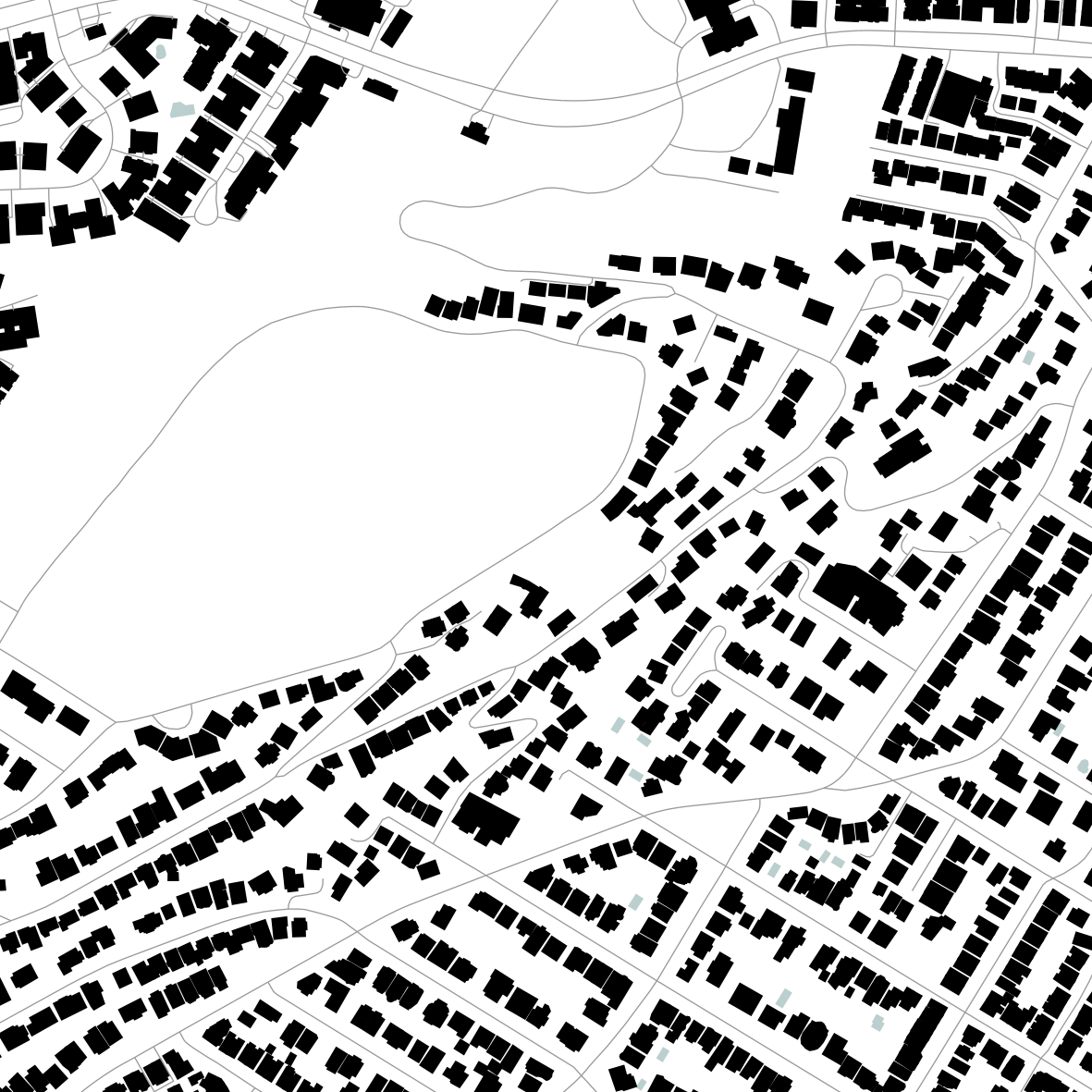
The style schwarzplan+ is a good clean design, black and white, with a rendering of buildings only and some minimalist roads as lines.
You can find more details in information in the usage page.
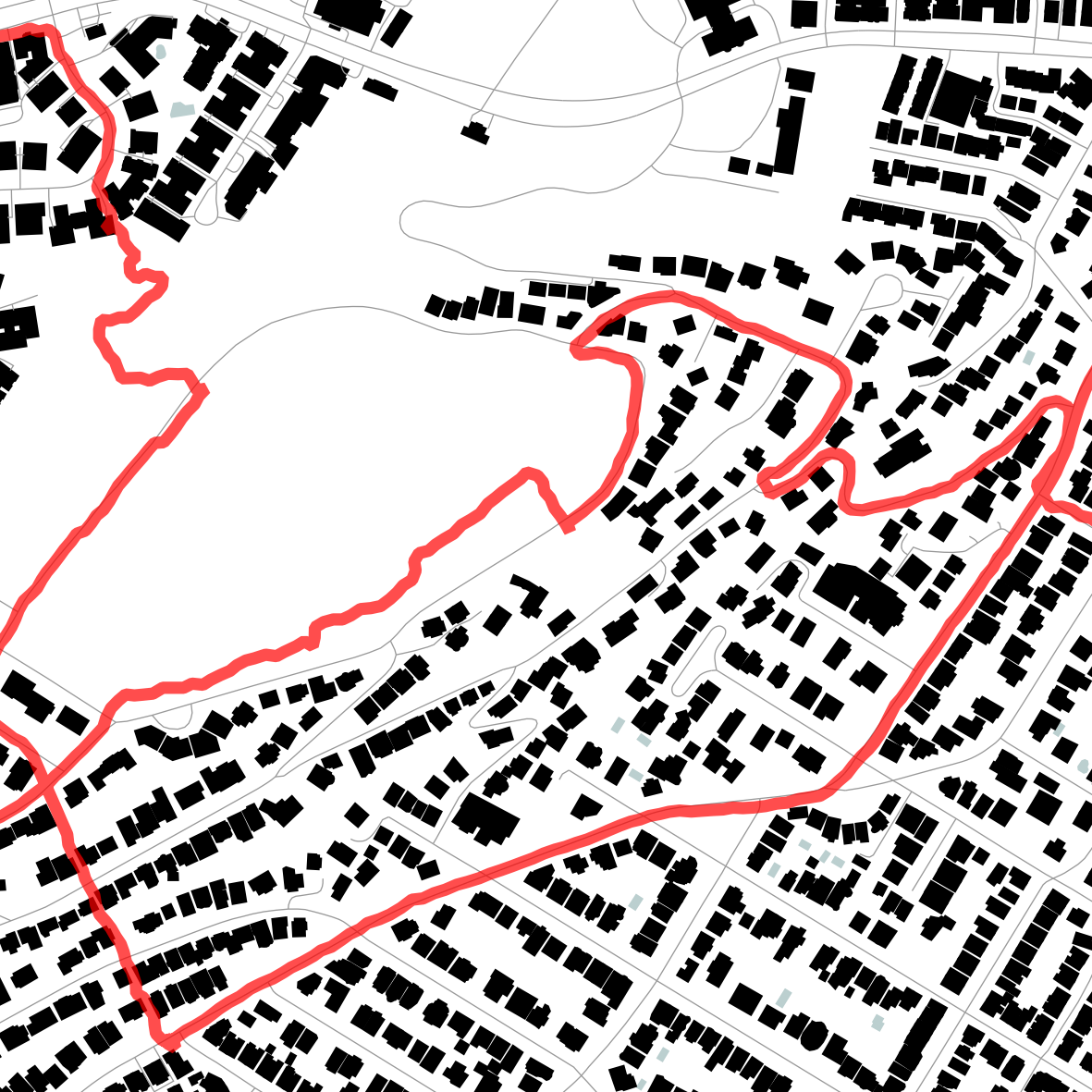
How to create a map with gpx traces added to the map layout?
Basically same process as above but additional lines in the map.yml and additional files. The additional files are the single gpx traces that need to be mentionned in the config file as follows:
# URL of webservice
ServiceURL: http://printmaps-osm.de:8282/api/beta2/maps/
# essential map attributes (required)
# -----------------------------------
Fileformat: png
Scale: 10000
PrintWidth: 100   # Width
PrintHeight: 100  # Height both in mm
Latitude: 45.491349330828534
Longitude: -73.60452144000553
Style: osm-carto
# map projection, EPSG code as number (without prefix "EPSG:")
# e.g.(EPSG:3857 / WGS84 / Web Mercator) (used by Google/Bing/OpenStreetMap)
Projection: 3857

# advanced map attributes (optional)
# ----------------------------------
HideLayers:

UserObjects:
- Style: <LineSymbolizer stroke='red' stroke-width='4' stroke-linecap='round' stroke-opacity='0.7' stroke-linejoin='bevel'/>
  SRS: '+init=epsg:4326'
  Type: ogr
  File: yougpsfile.gpx
  Layer: tracks

UserFiles:
  - yourgpsfile.gpx
and you obtain this map:
How to make maps that you can print with gpx traces added to map and fine tuning?
The layout schwarzplan+ is a good starting point, but the limits will arrive quickly. A solution to that problem is to add elements (as linked gpx files) to your config file that will represent areas im the map.
The idea is to generate two or more maps and to combine the generated images in one.
Where to get those gpx elements?
You are lucky as there is another website for that, and examples in printmaps-osm are already refering to that extra website overpass-turbo.eu.
The rest should be straitghtforward, but it’s an iterative process for sure.